
How it works
Watch, talk, master.
Learning on Geniam repeats three moves. Wherever you begin, you continue from your bookmark.
Getting started
Sign up free
With an email address or a Google account. No credit card.
Discover
Browse shorts and courses, and find a course that interests you.
Open
Open a course's Episode 1 and choose how to listen: voice, microphone, moving on by itself.
Talk
Answer the teacher's questions in writing or out loud. You get comments and your next step back.
IWatchMeet one idea in a short.
On the home and shorts screens, you swipe through videos one to three minutes long. Up or down for the next short. Every short is linked to the creator who teaches it, their teacher, and the full course.
- Watch a short
- Interested? "Learn by talking with …" takes you into a conversation with the teacher
- Or "Open the content" takes you to the full course
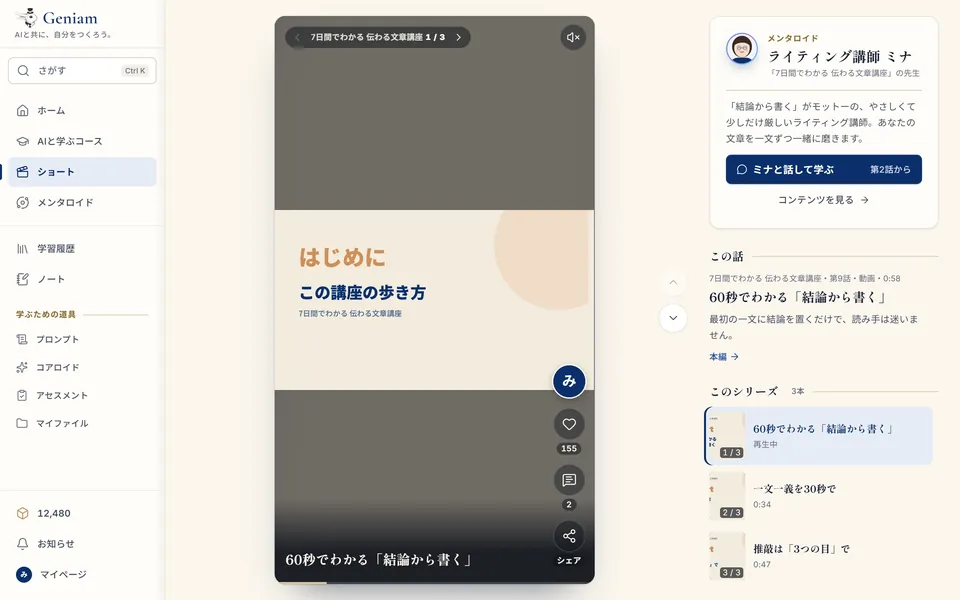
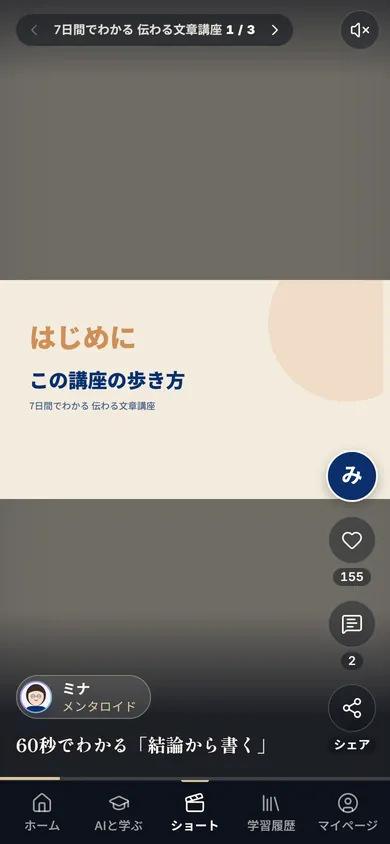
Screens are samples (shown in Japanese).
IITalkTalk with an AI teacher, and put it in your own words.
Before an episode begins, you choose how to listen: hear the voice, answer with the microphone, let it move on by itself. Answer the teacher's question in writing or out loud, and comments and your next step come back right away.
What you can choose
- How to listen
- Voice, microphone and moving on by itself, for each episode.
- How it moves on
- Click to go on / Moves on by itself / Skip ahead.
- How you answer
- With the keyboard or your voice. You can also have the microphone turn on when the teacher finishes speaking.
- Once more
- Regenerate the teacher's answer, or copy it.
- What to call you
- Set the name you'd like the AI to call you on the episode's start screen.
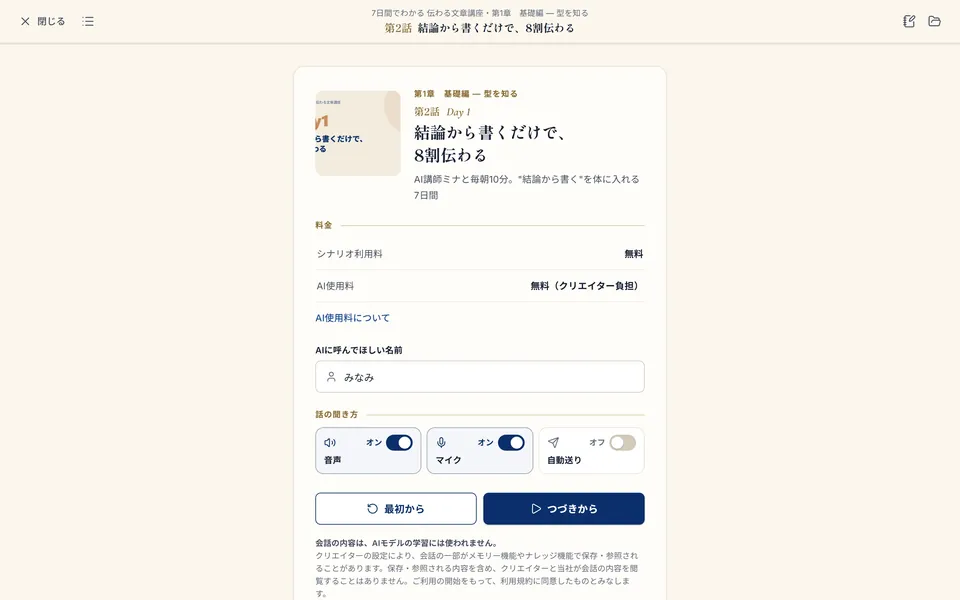
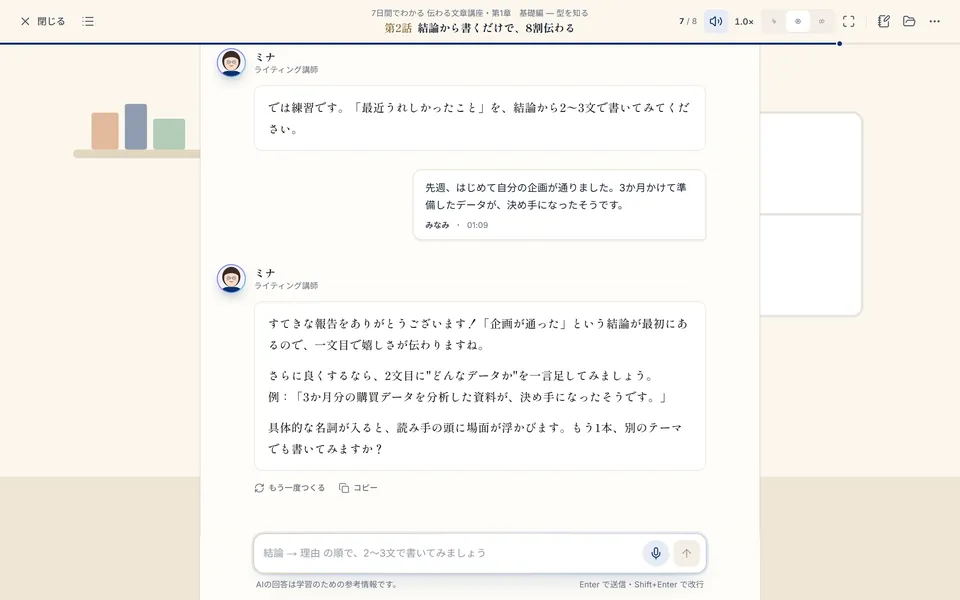
Screens are samples (shown in Japanese).
IIIMasterOne episode at a time, kept in your notes.
When you finish an episode, it is marked Finished, along with the time you spent and the replies you wrote. From there you can go to the next episode, back to the contents, or keep today's insight in your notes. Your history lists the courses you are taking and your recent episodes, so you can continue from anywhere.
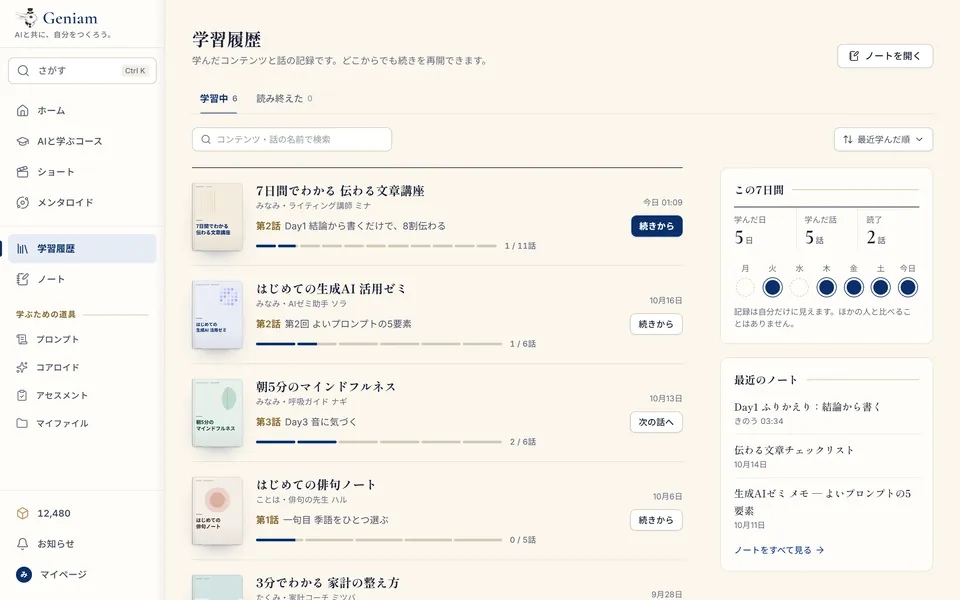
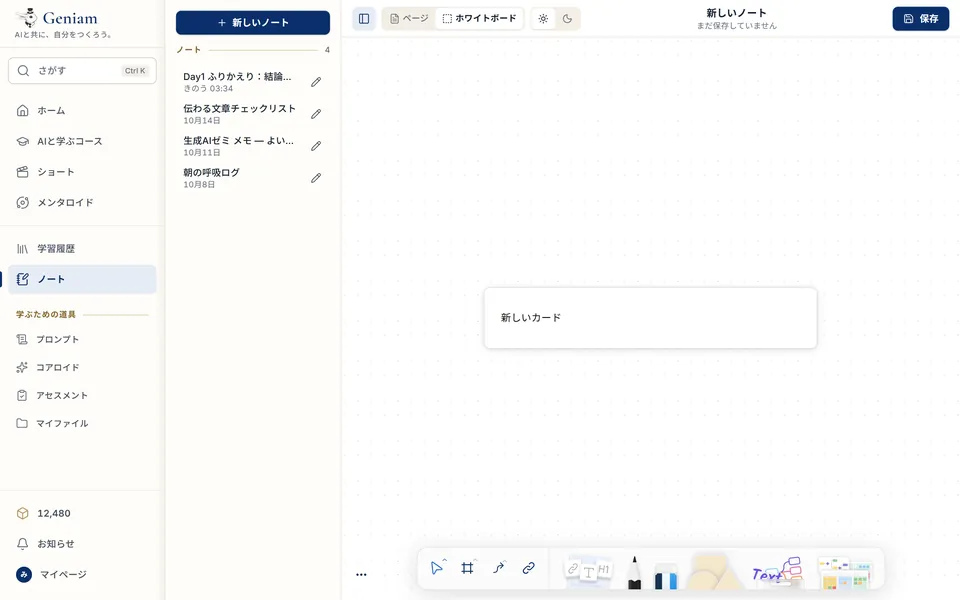
Screens are samples (shown in Japanese).
A week, for example
- Mon
Three shorts on the way to work.
- Tue
A little of Episode 1 (free) with a teacher who caught your eye.
- Wed
Writing practice. One line of the teacher's comments into your notes.
- Thu
Continue from your history.
- Fri
You like it, so you buy the chapter together.
- Sat
Take another look at your strengths with an assessment.
- Sun
A break. Read back over your insights.
Just one way to use it.
Small hints for keeping going
Open it every day, even for five minutes, and learning becomes a habit.
The AI's answer is a draft. Say it again in your own words, and it stays with you.
Leave a one-line note of what you learned, and it will help you later.


Open it every day, even for five minutes, and learning becomes a habit.
Now, build yourself, together with AI.
Generate who you are.
Begin with the episodes you can try for free.